Web Design NC III with TESDA

- Description
- Curriculum
- FAQ
- Notice
- Reviews
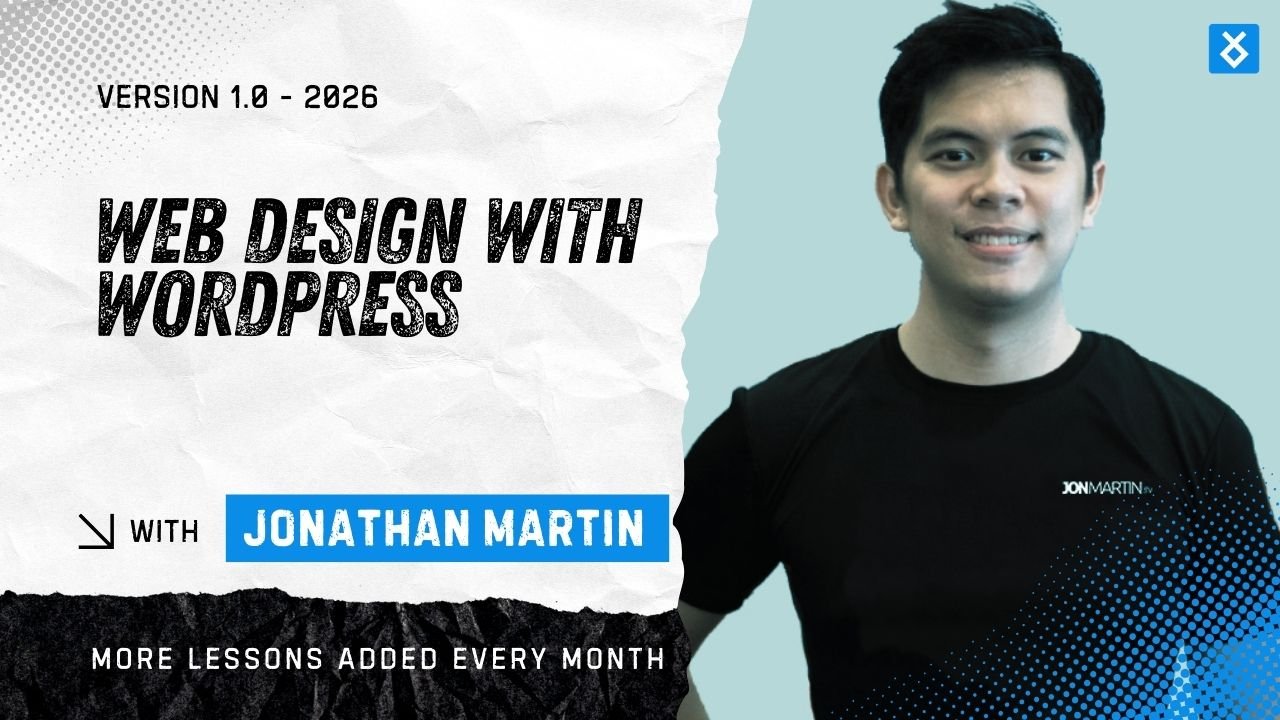
This course introduces the fundamentals of web design with a strong focus on usability, accessibility, and the collaborative process behind building effective websites. Students will explore how design decisions influence user experience, learning to create digital interfaces that are clear, intuitive, and inclusive.
The course covers the full web design pipeline, from discovery and planning through design, development, testing, and ongoing maintenance, highlighting the roles and responsibilities involved at each stage.
Through practical examples and design thinking principles, learners will develop a people-centred approach to web design, gaining the knowledge and awareness needed to plan and contribute to modern, user-focused digital products.
-
1
 Introduction to Web Design, Usability, and Accessibility
Web design is not only about visual appearance, but about how effectively a website works for its users. Strong web design creates clear structure through layout, colour, typography, and content, helping users feel confident rather than confused.
Usability ensures that interactions feel natural and effortless, allowing people to find information and complete tasks without unnecessary thought.
Accessibility extends this by making websites usable for everyone, including people with disabilities, through clear structure, readable content, and inclusive design practices. When web design, usability, and accessibility work together, the result is a website that is practical, inclusive, and effective. Ultimately, good web design focuses on people, not technology.
-
2
The Web Design Pipeline and Roles in Production
Building a website is a collaborative and structured process known as the web design pipeline. It begins with discovery and planning, where goals, audiences, and requirements are defined.
The design stage then shapes the website’s visual appearance and user experience, focusing on clarity, usability, and brand consistency. Approved designs move into development, where front-end and back-end developers turn concepts into functional code.
The website is then tested and refined to ensure quality, usability, and accessibility across devices and browsers. After launch, the site is maintained and improved over time. When each role in the pipeline works together effectively, the result is a reliable, user-focused digital product.
-
3
Understanding the User and Design Thinking
This lesson explores the importance of understanding users and applying design thinking in web design. Learners will examine how empathy, user research, and iterative problem solving help designers create websites that address real user needs.
By focusing on people rather than assumptions, the lesson highlights how thoughtful, human-centred design leads to more intuitive, accessible, and effective digital experiences.
-
4
Visual Hierarchy, Typography, and Colour
This lesson introduces visual hierarchy, typography, and colour as key elements of effective web design. Learners will explore how layout, text, and colour guide user attention, improve readability, and support accessibility.
The lesson highlights how thoughtful visual decisions help users scan content easily, understand information quickly, and navigate websites with confidence.
-
5
Wireframing and Layout Planning
This lesson introduces wireframing and layout planning as essential early stages in the web design process. Learners will explore how simple, low-fidelity wireframes are used to organise content, define structure, and prioritise user needs before visual design begins.
The lesson highlights how clear layout planning improves usability, supports responsive design, and enables teams to test ideas and make changes efficiently. By focusing on structure first, learners gain a practical understanding of how effective websites are built from a strong foundation.
-
6
Web Layout Types: Responsive, Grid, Fixed
This lesson introduces three common web layout types: responsive, grid-based, and fixed layouts. Learners will explore how each layout controls the structure and behaviour of content across different screen sizes, and how layout choices impact usability and user experience.
The lesson highlights when and why each layout type is used in modern web design.
-
7
Sitemap and Link Buildings
Enhance search visibility with strategic sitemapping and ethical link building. Our team structures clean XML and HTML sitemaps to guide crawlers, improve indexation, and highlight priority pages. We align taxonomy, canonical paths, and internal links to reduce crawl budget waste and strengthen topical relevance through technical SEO best practices.
For authority growth, we secure quality backlinks through editorial outreach, digital PR, and resource partnerships. We optimize anchor text, audit toxic links, and monitor performance with analytics to sustain ranking gains and protect site integrity.
- Faster discovery of new content
- Improved crawl efficiency and coverage
- Stronger domain authority and trust signals
- Balanced anchor text profile and risk control
- Measured impact with clear reporting
-
8
Introduction to Usability in Web Design
This lesson introduces usability as a core principle of effective web design, focusing on how ease of use, clear navigation, and thoughtful content structure help users achieve their goals efficiently and confidently.
-
9
Navigation, Structure, and User Flow
This lesson explores how clear navigation, logical structure, and well-planned user flow guide visitors through a website, helping them find information easily, move with confidence, and complete tasks without confusion.
-
10
Usability Testing and Continuous Improvement
This lesson introduces how usability testing and ongoing refinement help identify user issues, improve performance, and ensure websites continue to meet user needs over time.
-
11
Introduction to Accessibility in Web Design
This lesson introduces accessibility as a core responsibility of web design, focusing on creating websites that are usable, inclusive, and accessible to people of all abilities and technologies.
-
12
Designing for Accessibility
This topic emphasizes creating inclusive digital experiences by applying clear visuals, accessible navigation, structured content, and thoughtful interactions that support users of all abilities and technologies.
-
13
Accessibility Testing and Improvement
This topic focuses on evaluating websites for accessibility issues and applying ongoing improvements to ensure inclusive, compliant, and user-friendly experiences across different abilities and technologies.
-
14
Introduction to HTML
HTML, or HyperText Markup Language, is the standard language used to create the structure of web pages. It defines the meaning and organization of content on the web, such as text, images, links, and forms.
-
15
How to Start Your HTML Coding?
Starting with HTML coding is a straightforward and accessible entry point into web development. HTML does not require complex tools or advanced technical knowledge, making it ideal for beginners who want to understand how websites are built and structured.
-
16
Basic HTML Document Structure
A basic HTML document follows a standard structure that helps browsers understand how to display the page. This structure includes the document type, root element, head section, and body section.
-
17
Text Elements and Content Formatting
HTML provides elements to structure text content clearly and meaningfully. Headings (
<h1>to<h6>) define content hierarchy, while paragraphs (<p>) group related text. -
18
Links and Images
Links connect web pages together. The
<a>element is used to create hyperlinks that guide users to other pages, websites, or sections within the same page. -
19
HTML Lists, Tables, and Media
Lists help organize content, while tables present structured data such as schedules or comparisons. Tables use rows and columns to display information clearly, but they should be used only for data, not layout.
-
20
Forms and User Input
Semantic HTML uses elements that describe the role of content, such as
<header>,<nav>,<main>,<section>, and<footer>. These elements improve structure, accessibility, and maintainability. -
21
HTML Best Practices
Good HTML follows best practices such as clean indentation, meaningful element choice, and proper nesting. Code should be readable and easy to maintain.
-
22
Introduction to CSS
CSS, or Cascading Style Sheets, is the language used to control the visual presentation of web pages. While HTML provides structure and meaning, CSS defines how content looks, including layout, colors, fonts, spacing, and responsiveness.
-
23
Ways to Apply CSS
CSS can be applied to a webpage in three main ways: inline, internal, and external. Inline CSS applies styles directly within HTML elements and is generally used for quick testing.
-
24
CSS Syntax and Selectors
CSS works by selecting HTML elements and applying styles to them. A CSS rule consists of a selector and a declaration block, which includes properties and values.
-
25
Colors, Typography, and Text Styling
CSS controls color and text presentation to improve readability and visual appeal. Designers can define font families, sizes, spacing, and alignment, as well as background and text colors.
-
26
The Box Model
The CSS box model explains how elements are sized and spaced. Every element consists of content, padding, border, and margin.
-
27
Layout Basics: Display and Position
CSS layout properties control how elements are arranged on a page. The display property determines how elements behave, while position defines how they are placed.
-
28
Flexbox Layout
Flexbox is a powerful layout system designed for one-dimensional layouts. It allows elements to align, distribute space, and adapt easily to different screen sizes.
-
29
CSS Grid Layout
CSS Grid is a two-dimensional layout system that allows designers to create complex layouts using rows and columns.
-
30
Responsive Design and Media Queries
Responsive design ensures websites work well on all devices. Media queries allow CSS to adapt layouts based on screen size.
-
31
CSS Best Practices
CSS best practices focus on writing styles that are clean, consistent, efficient, and easy to maintain. As websites grow in size and complexity, well-written CSS becomes essential for long-term scalability and collaboration.
-
32
Domain Name
.A domain name is the unique address that people use to access a website on the internet. Instead of remembering long numerical IP addresses, users type a domain name into a browser to visit a website easily.
-
33
Local and Live Hosting 2026
Local and live hosting are two essential environments used in the process of building and publishing a website. Understanding the difference between them helps designers and developers work efficiently, test safely, and launch websites with confidence.
-
34
Content Management System or CMS
A Content Management System, commonly known as a CMS, is a software platform that allows users to create, manage, and update website content without needing to write code from scratch.
-
35
All-in-one Platform (Sass) vs Open-source Software
.When building and managing websites, one of the most important decisions is choosing between an all-in-one platform (Software as a Service, or SaaS) and open-source software.
Please be informed that this course focuses on the fundamentals of web design, usability, and accessibility, with an emphasis on understanding design principles and the web design process rather than advanced technical skills.
No prior experience in web design or coding is required. Students are expected to actively participate in discussions, complete assigned activities on time, and approach all coursework with a user-focused and inclusive mindset.
Regular attendance, engagement with course materials, and adherence to deadlines are essential for successful completion of the course. Learners are also encouraged to apply course concepts thoughtfully and to communicate respectfully with peers and instructors.
Should you have any questions regarding the course structure or expectations, please raise them during class or through the designated communication channels.
By the end of this course, learners will be able to:
-
Understand the purpose and structure of the web design pipeline
-
Identify key roles involved in planning, designing, and developing websites
-
Apply basic usability principles to improve clarity and ease of use
-
Recognise the importance of accessibility and inclusive design practices
-
Evaluate websites based on design quality, usability, and accessibility
-
Develop a user-focused mindset when approaching digital design projects
Learning Outcomes
Upon successful completion of the course, learners will be able to:
-
Explain how web design, usability, and accessibility work together
-
Describe the stages involved in building a website from concept to launch
-
Demonstrate awareness of user needs, behaviours, and expectations
-
Identify common usability and accessibility issues in existing websites
-
Communicate design ideas clearly using appropriate terminology
-
Contribute effectively to web projects within a team environment
To successfully participate in this course, learners are expected to meet the following requirements:
Technical Requirements
-
Access to a computer or laptop with a stable internet connection
-
A modern web browser (such as Chrome, Firefox, or Edge)
-
Basic ability to navigate websites and use common digital tools
Knowledge Requirements
-
No prior web design or coding experience is required
-
Basic digital literacy, including familiarity with using the web, documents, and online platforms
-
Willingness to learn design concepts and terminology
Participation Requirements
-
Active participation in lectures, discussions, and practical activities
-
Engagement in group work and collaborative tasks, where applicable
-
Openness to feedback and a willingness to revise work
Learning Commitment
-
Regular attendance and timely completion of assigned tasks
-
Independent study and review of course materials outside of class hours
-
Application of course concepts to practical examples and simple design exercises
Professional Expectations
-
Respect for inclusive and ethical design practices
-
Consideration of usability and accessibility in all coursework
-
Clear and respectful communication with instructors and peers
Who This Course Is For
This course is suitable for:
-
Beginners interested in web design and digital media
-
Students studying design, IT, or creative technologies
-
Professionals seeking a foundational understanding of web design processes
-
Anyone who wants to design websites that are clear, usable, and inclusive